Every listing says ergonomic, the word means nothing on a box, and you need to know whether the chair in front of you - or in your cart - actually qualifies.
Picked on published fit specifications, not on hands-on testing. How we pick.
The short answer
Run three checks: does the seat height adjust through a range that includes the number your body needs, do the armrests move up and down, and can you find a lumbar control while sitting in it? Three yeses is an ergonomic chair. The word on the box is not evidence.
We earn a commission if you buy through our links. It does not change your price, and it does not change our ranking. Prices are pulled from Amazon's own API and stamped with the date we fetched them — where we have no live figure, the button opens the current price on the retailer's page instead. Full disclosure.
Ranked picks with published seat height, seat depth and weight capacity
#ad Seat height and capacity are the manufacturer's published figures, sourced under each pick. Prices come live from Amazon's own API and carry the date we fetched them; where a figure is missing the button opens the current price instead. Seat depth for every pick is in the spec block below. Seat depth summary: Steelcase Leap v2 15.75" · Steelcase Series 1 15.5"–17.75" · Sihoo Doro C300 18.11"
Why the word proves nothing
There is no certification behind ergonomic on a retail listing. Anyone can print it. OSHA's computer workstation guidance does describe what a chair needs to do - adjustable height, a seat that supports the thighs without pressing behind the knees, back support shaped to the curve of the spine, arm support that does not lift the shoulders - but nobody audits a box against that list before it ships. BIFMA standards, which some chairs genuinely meet, cover safety and structural performance rather than whether the chair fits you.
So the practical question is not whether a chair is ergonomic in the abstract. It is whether it adjusts to your body. The eight checks below turn that into something you can do with your hands in two minutes, or against a specification table before you spend anything.
The three non-negotiable checks
If a chair fails any of these three, nothing else on the list rescues it
Check
How to run it
What a pass looks like
1. Seat height adjusts, through a range that includes your number
Find the lever on the right under the seat. Raise and lower it fully
A published range whose minimum is at or below a quarter of your standing height
2. Armrests move up and down
Sit, let your shoulders drop, see whether the arms meet your forearms there
Arms that reach your relaxed forearm height - or come off entirely
3. There is a lumbar control you can reach while seated
Reach behind your lower back, then down the right-hand side of the seat
A pad that moves up and down, a dial, or a firmness knob you can feel work
Check one is the one people skip because every chair has a gas lift. The question is not whether it moves, it is whether its range reaches you. The BIFMA-derived anthropometric tables put the seat height you need at about a quarter of your standing height - so 15.0 in at 5 ft 0 in, 16.5 in at 5 ft 6 in, 18.0 in at 6 ft 0 in. A chair that bottoms out at 18.5 in is not ergonomic for most people under 5 ft 10 in, however many levers it has. The seat height lookup table has every height, and is your chair too high or too low is the symptom-side version of the same check.
The five checks that separate good from adequate
The second tier of checks, in the order they matter
Check
What it is
Why it matters
4. Seat depth adjusts
The pan slides forward and back, or the backrest moves relative to it
A pan too long for your thighs presses behind the knees; nothing else fixes it
5. Backrest height or lumbar height adjusts
The whole back moves up, or the lumbar pad does
Support in the wrong place is close to no support at all
6. Recline has adjustable tension and a lock
A dial that changes how hard you push, and a lever that holds a position
Tension set for someone heavier means you never reach the backrest
7. The seat pan is flat or slightly waterfall-edged, not bucketed
Look at it side-on; run a hand along the front edge
A bucket seat fixes your hip angle and concentrates pressure at the tailbone
8. Published weight capacity exceeds your weight with margin
Read the spec table, not the marketing copy
Capacity is a structural rating from the test standards; margin is longevity
Checks four and five are where most mid-priced chairs are decided, and they are also where price and quality stop lining up. Seat depth adjustment is present on the budget Doro C300 and absent on the premium Leap v2. Backrest height adjustment is present on two budget chairs in our registry and absent on both Herman Millers. Our full comparison chart lays out who publishes what.
What is not evidence
Three things get used as proof of ergonomics and are not. A headrest only does anything when you are reclined far enough for your head to rest into it, which is a small part of a typing day - our headrest page sets out why it is usually the feature people most overvalue. Mesh is a material choice with real trade-offs on temperature and edge pressure, not an ergonomic property - mesh versus foam has them. A high lever count tells you nothing unless the levers adjust the four things above; three useful controls beat seven decorative ones.
A fourth, less obvious one: the number of positions a chair claims. A listing saying 9 adjustment points does not tell you the range of any of them, and range is the whole question. The Autonomous ErgoChair Pro publishes nine adjustment points and is openly wrong for a short sitter - Autonomous itself puts its fit range at 5 ft 4 in and up. That is a well-specified chair being honest, and it is also a reminder that adjustment count is not fit.
How this differs from the buying guide
Our office chair buying guide is for choosing between chairs you have not met: it works from your body outward to a shortlist. This page is the opposite direction - a chair exists, in a showroom or in your office or in a product listing, and you want to know whether it qualifies. If you are at the start of the process, start with the buying guide; if you are standing next to a chair, stay here.
It is also worth knowing the category labels before you shop them, because ergonomic is the vaguest of four words in common use - office chair versus task chair versus executive chair separates the ones that mean something.
Running the checks on the chair you already own
Most readers arriving here have a chair and a suspicion. The useful sequence is: run checks one to three, set the chair properly before judging it - most chairs are never adjusted after assembly - and only then decide. How to adjust your office chair is the order to do it in, and it is free.
If it fails check one or check four and cannot be fixed, that is a chair to replace rather than configure - no accessory adds seat height travel or shortens a pan. If it passes the structural checks and still hurts after a properly set-up week, can office chairs cause back pain goes through what else at a desk produces the same symptoms, starting with screen height.
The picks in full
1. Best for Passes all eight checks on published figures
Steelcase Leap v2
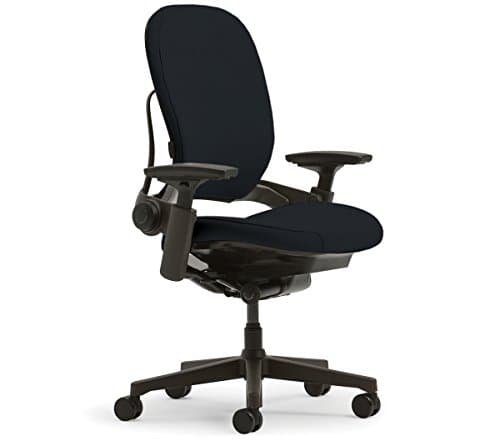
Used here as the reference case rather than a recommendation: this is what a chair looks like when the maker is willing to be measured on every check below. Steelcase publishes a seat height range of 16 to 20.5 in, an armrest height range of 7 to 11 in - almost nobody publishes that one - a 25 in backrest, a 19.25 in seat width, a lumbar that adjusts for height with a separate firmness dial, a 400 lb rating and a 12-year multi-shift warranty. It fails exactly one check and fails it clearly: the seat pan is fixed at 15.75 in with no depth adjustment, which is the single most common fit complaint we see.
Who it fits
Anyone using this page to calibrate what a complete specification table looks like.
Who it does not fit
Long-thighed sitters, and anyone under about 5 ft 1 in.
Published specifications
Seat height
16"–20.5"
Seat depth
15.75"
Seat width
19.25"
Back height
25"
Arm height
7"–11"
Weight capacity
400 lb
Lumbar
Height-adjustable lumbar plus a lower-back firmness dial
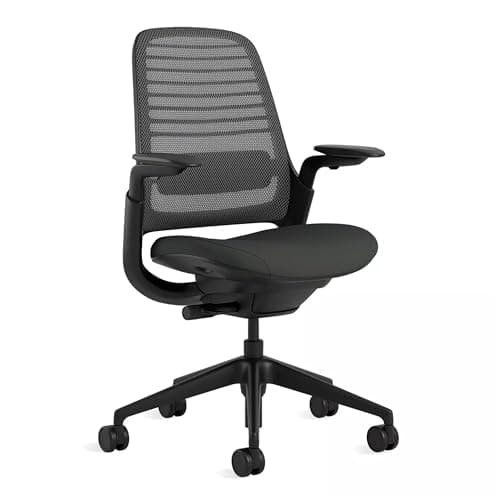
The useful second reference, because it shows that a complete specification is not a price tier. Steelcase publishes a 16.5 to 21.5 in seat height and a functional seat depth of 15.5 to 17.75 in, so both of the two measurements that decide fit are adjustable and both are published. A 400 lb rating and a 12-year multi-shift warranty come with it at mid-tier money. Where it is incomplete is visible too: no published backrest height, no published seat width, and lumbar height adjustment offered as an option rather than fitted as standard. Those gaps are what you check for.
Who it fits
Anyone who wants a worked example of checking a mid-priced chair against the same eight questions.
Who it does not fit
Anyone who needs lumbar height adjustment as standard.
Published specifications
Seat height
16.5"–21.5"
Seat depth
15.5"–17.75"
Weight capacity
400 lb
Lumbar
Optional adjustable lumbar; weight-activated tension as standard
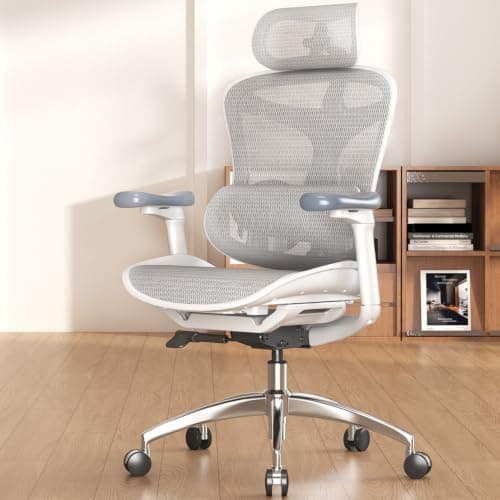
The point of including a budget chair here is that ergonomic is about adjustment, not price, and this is the proof. Sihoo publishes an 18.11 in pan with depth adjustment, a backrest that moves through 18.11 to 21.65 in of height, a self-adapting dynamic lumbar, a 20.28 in seat width, a 330 lb rating and a three-year warranty. That is three of the four fit adjustments present at the bottom of the market. It also demonstrates the most common budget failure: Sihoo publishes overall height, 42 to 49 in, and no seat height from the floor, so the single most important check cannot be run before you buy.
Who it fits
Anyone on a budget who wants to apply these checks rather than trust the word on the listing.
Who it does not fit
Anyone over 330 lb, and anyone who needs a confirmed seat height before ordering.
Three checks decide it. Does the seat height adjust through a range that includes about a quarter of your standing height? Do the armrests move up and down to meet your forearms with your shoulders relaxed? Is there a lumbar control you can reach and feel work while seated? Three yeses is ergonomic; the word on the box is not evidence.
Is ergonomic a certified term on office chairs?+
No. There is no certification behind it at retail. OSHA describes what a chair should do and BIFMA sets safety and structural standards, but neither audits the word before it goes on a listing.
Does a headrest make a chair more ergonomic?+
No. A headrest only supports your head when you are reclined far enough for your head to rest into it, which is a small fraction of a typing day. It is the feature most frequently paid for and least frequently used - the full case is here.
How many adjustments should an ergonomic chair have?+
Count ranges, not levers. The four that matter are seat height, seat depth, lumbar or backrest height, and armrest height. A chair with those four adjusting through useful ranges beats a chair advertising nine adjustment points without publishing any of them.
Can a cheap chair be ergonomic?+
Yes, and some are. The Sihoo Doro C300 publishes seat depth adjustment and 18.11 to 21.65 in of backrest height adjustment at the bottom of the market. What budget chairs tend to cost you is published figures - several give overall height instead of seat height - and warranty term.